Instrument and equipment comparison
USB audio interfaces for small recording setups: match the inputs to the session
Start with the signals you want to record at the same time. A microphone socket and an instrument socket are not interchangeable, and a stereo output pair does not mean you can record two microphones. Sketch the complete path from each source to the computer, then from the computer to headphones or speakers.
This listing-and-specification comparison considers the Focusrite Scarlett Solo 3rd Gen, M-Audio M-Track Duo and Behringer UMC202HD. It is not a hands-on comparison of sound quality or latency, does not rank reliability, and does not select an overall winner.
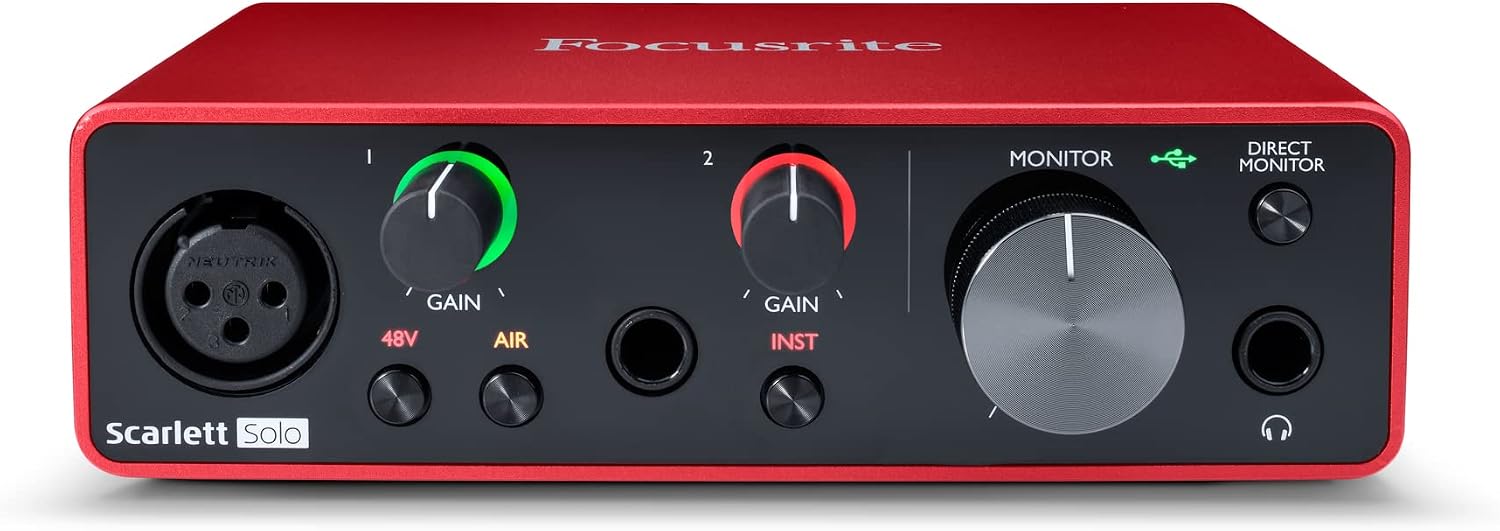
Focusrite Scarlett Solo 3rd Gen: one microphone plus one instrument or mono line source
Focusrite’s third-generation Solo guide describes one XLR microphone input and one quarter-inch input that switches between instrument and mono line level. That can suit recording a vocal microphone alongside a guitar signal. It is not a two-microphone interface, and the single line input is not a stereo keyboard input pair.
The guide describes switchable 48 V phantom power for the microphone input, balanced left and right line outputs, a headphone output and a USB-C connection. Its direct-monitor function sends the input signals, summed to mono, to the listening outputs alongside computer playback. That listening route is different from monitoring a signal after DAW effects and processing.
Focusrite specifies recording at up to 24-bit/192 kHz, but its setup guide distinguishes the initial Easy Start mode from full functionality. Follow the exact third-generation setup instructions rather than assuming the highest sample rate is the initial operating mode. Do not borrow features from a newer Scarlett generation.
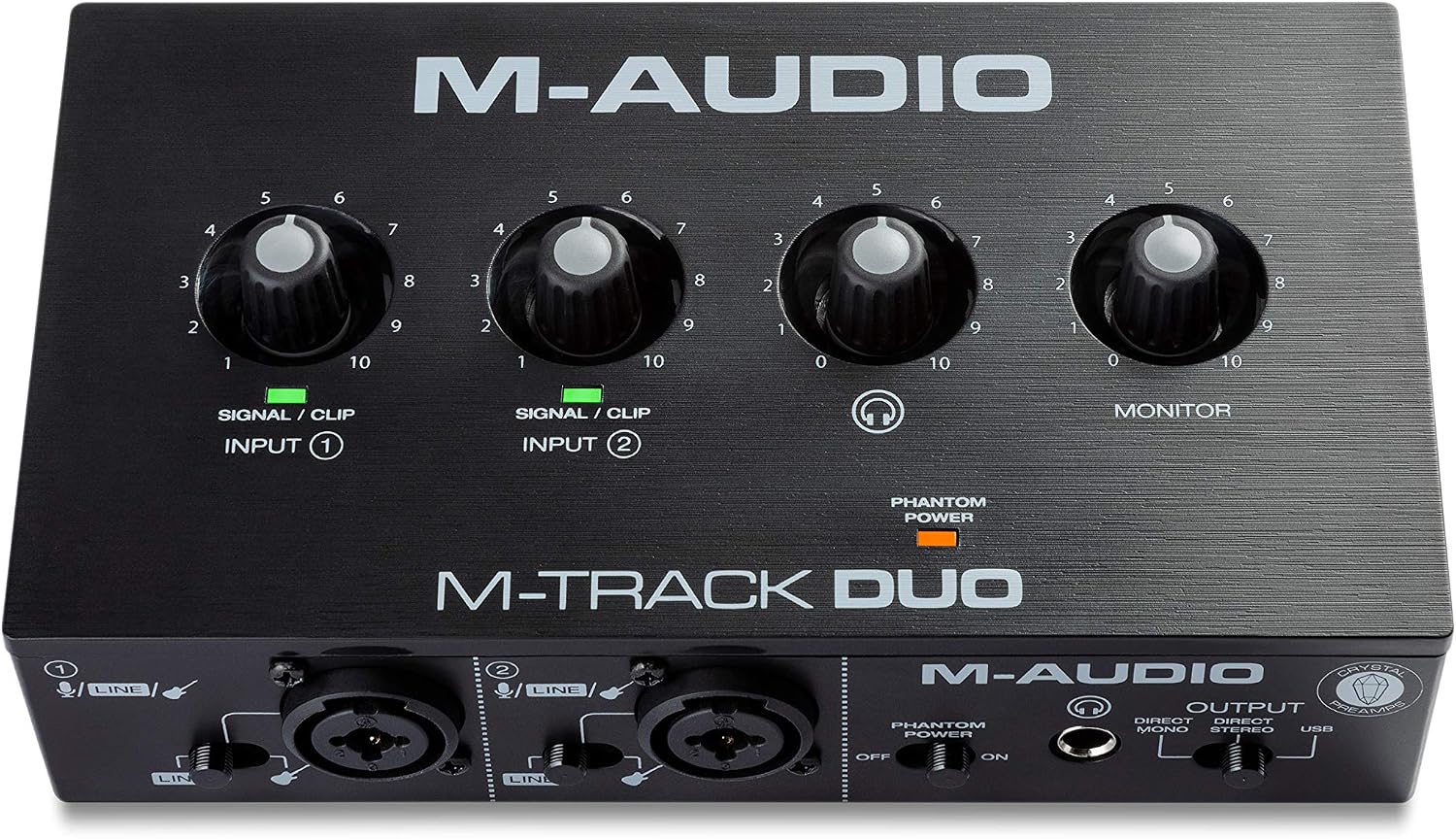
M-Audio M-Track Duo: two combo inputs and selectable direct monitoring
The M-Track Duo listing and its model-specific guide describe two combo microphone/line/instrument inputs, with individual gain controls and line/instrument selection. The guide’s direct-stereo example places Input 1 on the left and Input 2 on the right for listening to a stereo source. Recording a stereo keyboard therefore uses both input channels; those same channels are not also free for additional microphones.
The guide specifies a two-channel, 16-bit, 48,000 Hz Windows format. Do not substitute the higher-resolution specification of another M-Track model. It describes a USB-B connection, quarter-inch main outputs, a quarter-inch headphone connection and separate headphone and monitor level controls.
The front switch selects Direct Mono, Direct Stereo or USB monitoring. Direct Mono lets you hear the inputs on both sides, Direct Stereo separates them left and right, and USB selects computer playback. The guide distinguishes this listening choice from how the inputs are recorded in the DAW. It is not a continuously adjustable input/playback blend control.
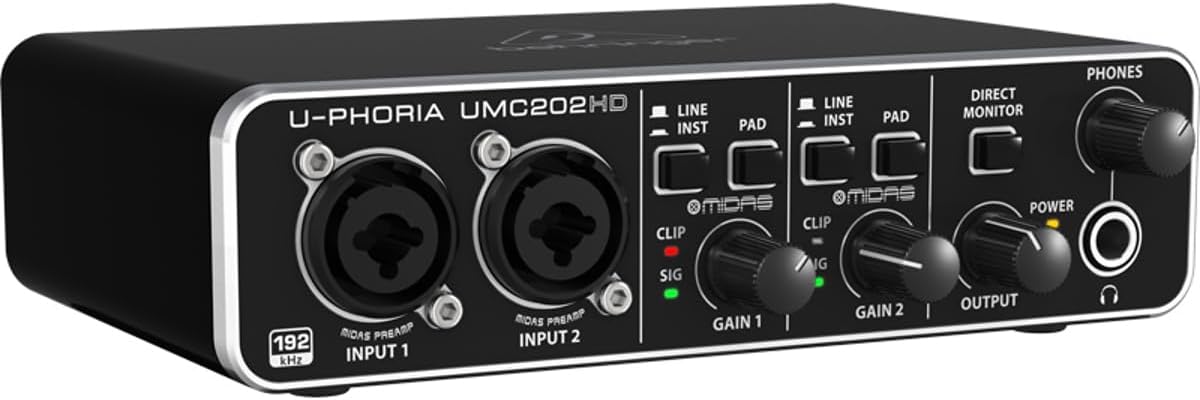
Behringer UMC202HD: two combo inputs with a direct-monitor switch
The exact UMC202HD listing describes two combination XLR/TRS inputs for microphones, instruments or line-level sources, USB 2.0, quarter-inch TRS outputs and a rear-panel 48 V phantom-power switch. It specifies a two-input, two-output interface with converters rated up to 24-bit/192 kHz. These are the listing’s hardware specifications, not a measured sound-quality advantage.
The listing also describes direct monitoring and a headphone output with its own level control. Check the exact monitoring route against the session you want to record; direct monitoring does not establish the latency of a processed signal coming back through a DAW. Do not borrow extra outputs, inserts or MIDI connections from other U-Phoria models.
Count the connections you will actually use
For two microphones, choose a layout with two suitable microphone inputs rather than interpreting “two inputs” as two microphone preamps. For a stereo keyboard, allow a left and a right input. For guitar plus voice, check which input accepts the instrument and which accepts the microphone.
Read the microphone’s own power requirements before using phantom power. Check output connectors against your powered speakers or amplifier, and make sure the headphone plug matches the interface. A headphone connection and two main outputs do not necessarily provide independent mixes.
Check the computer and monitoring path separately
Match the exact interface and generation to your operating system, required driver, DAW and available USB connection. A connector shape alone does not prove current host compatibility. Legacy manual setup examples also do not establish support for every newer OS release.
Direct monitoring routes the incoming signal to a listening output without taking the full DAW processing path. It does not establish a measured round-trip latency for software monitoring. If you need to hear an amp simulation or other live effect, check the software-monitoring workflow rather than treating “zero-latency monitoring” as a promise about all processing.
Budget for the complete recording chain
An interface is not a complete microphone, cable, headphone and speaker kit unless the exact package says so. List the cables and listening equipment you already own, then check what the chosen package includes. Treat software activation and bundle eligibility as separate questions from the hardware’s physical connections.
The useful comparison is the session you can connect and monitor now. A maximum sample-rate figure or a longer software list does not, by itself, establish a better recording or an easier setup.